Guides › Catalog
Catalog: your products in the keyboard
Updated 6 October 2026 · Quickey 1.10 (build 16)
The catalog is a searchable list of your products. From the keyboard you tap a product and its photo and details land in the chat you are in, so you never dig through the gallery mid-conversation.
The Catalog page
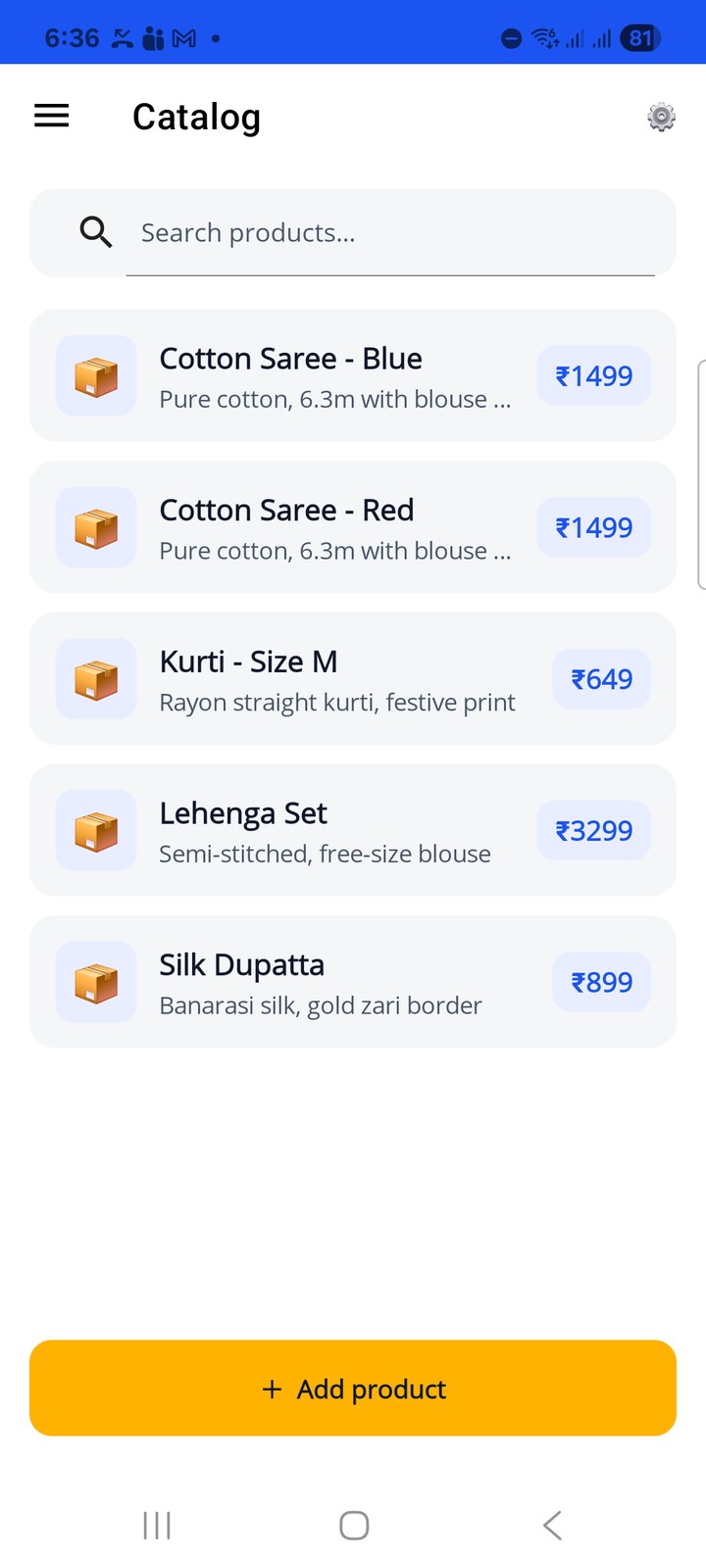
Open ☰ › Catalog. The page lists your products with name, first line of the description and price. Use Search products… to filter. Tap a product to edit it, swipe it left to Delete, or tap + Add product to create one.
The app ships with a few sample products (sarees, kurti, dupatta) so you can see how it looks. Delete them once you add your own.
Add or edit a product
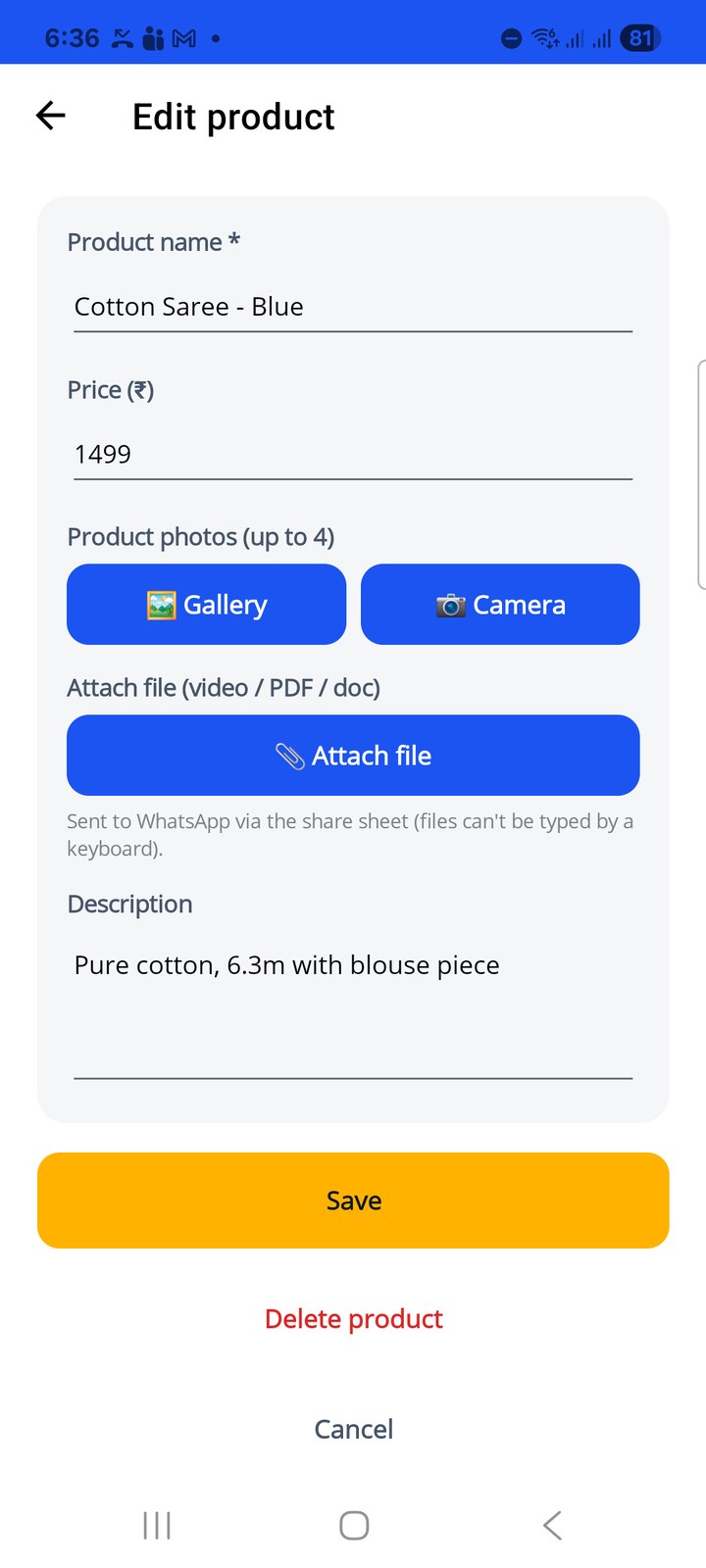
- Product name (required) and Price (₹).
- Product photos (up to 4): add from 🖼 Gallery or take one with 📷 Camera.
- 📎 Attach file: a video, PDF or document, for example a spec sheet or a size chart. Files are sent through the share sheet because a keyboard cannot type a file.
- Description: free text that goes out as the caption.
Tap Save. Delete product at the bottom removes it.
Send a product from the keyboard
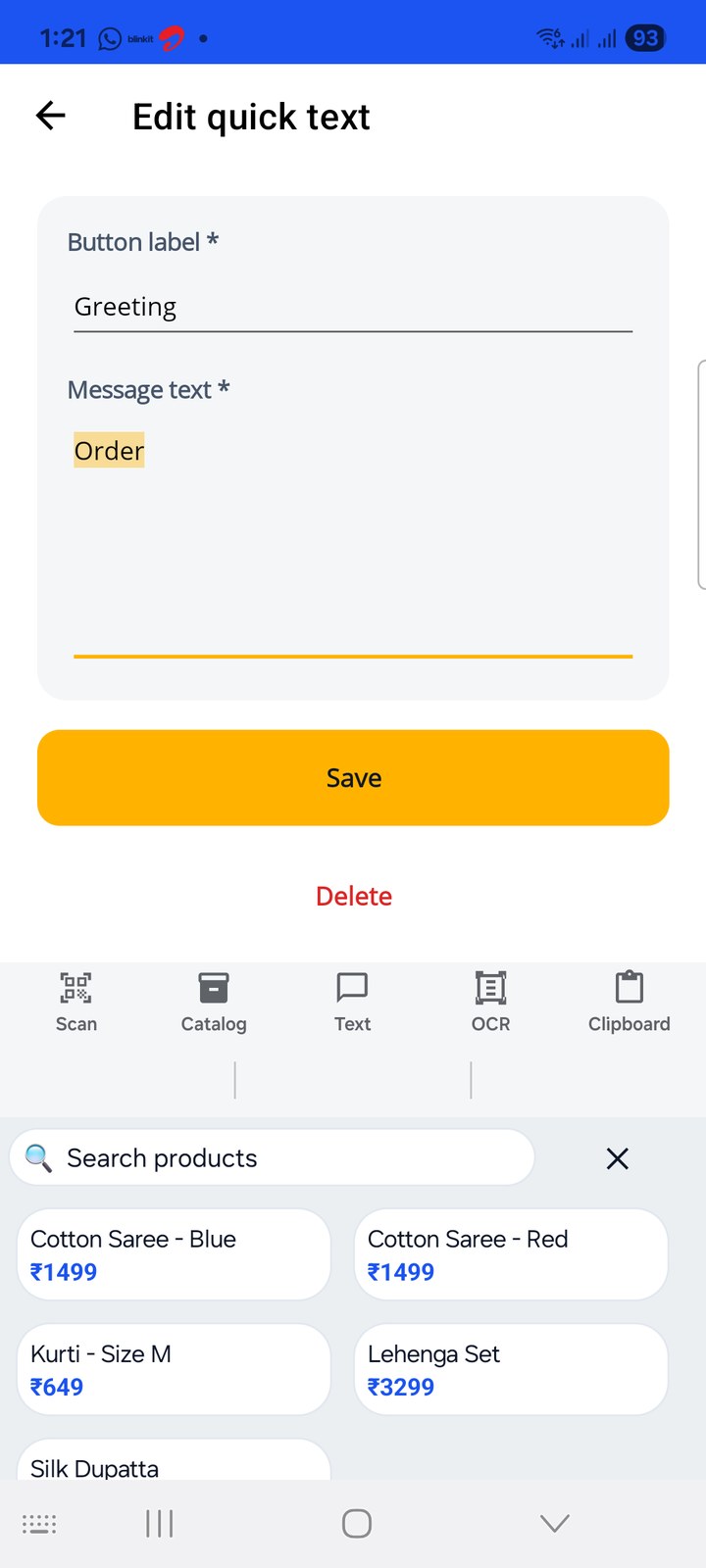
- In WhatsApp (or any chat), open the Quickey keyboard and tap 📦 Catalog.
- Type part of the name to filter, then tap the product.
- With one photo, the photo is inserted straight into the current chat and the name, price and description ride along as the caption.
- With 2 to 4 photos or a file, Android's share screen opens; pick the chat and everything is sent together.
Catalog Settings
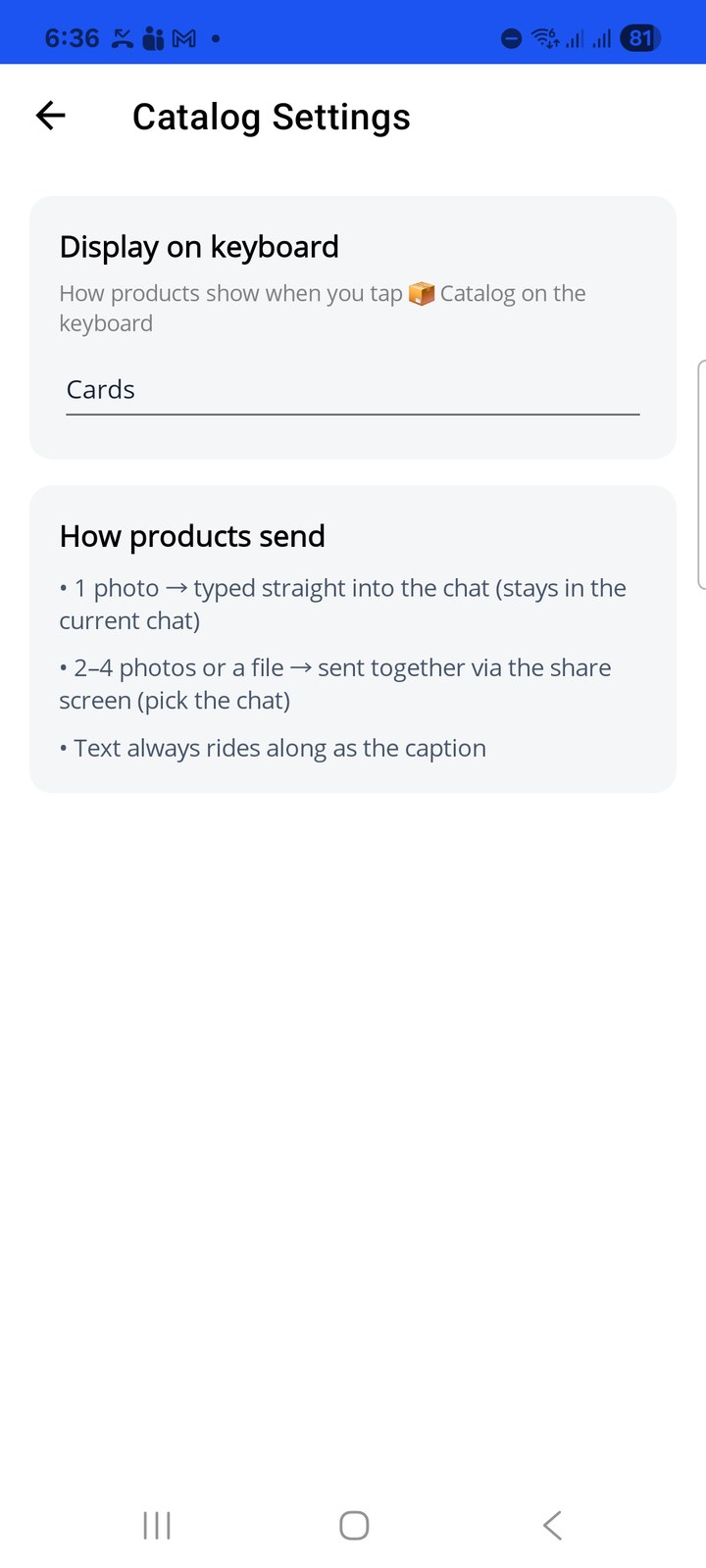
Tap ⚙️ on the Catalog page.
- Display on keyboard: how products show when you tap 📦 Catalog on the keyboard. Cards (default), Grid or List. Grid and List fit more products on the keyboard.
- How products send is a reminder of the rule above: 1 photo is typed into the current chat, 2 to 4 photos or a file go via the share screen, and text always rides along as the caption.
The number of catalog items is unlimited on Premium and Business. See Plans.