Guides › Remembered PCs & auto-connect
Remembered PCs and auto-connect
Updated 6 October 2026 · Quickey 1.10 (build 16)
Scan the PC's QR once. From then on the phone remembers it, reconnects with one tap, and can reconnect by itself whenever it comes online, as long as both the phone and the PC allow it.
On this page
The Remembered PCs pageHow auto-connect worksBoth sides must allow itDevices tab on the PCLimitsThe Remembered PCs page
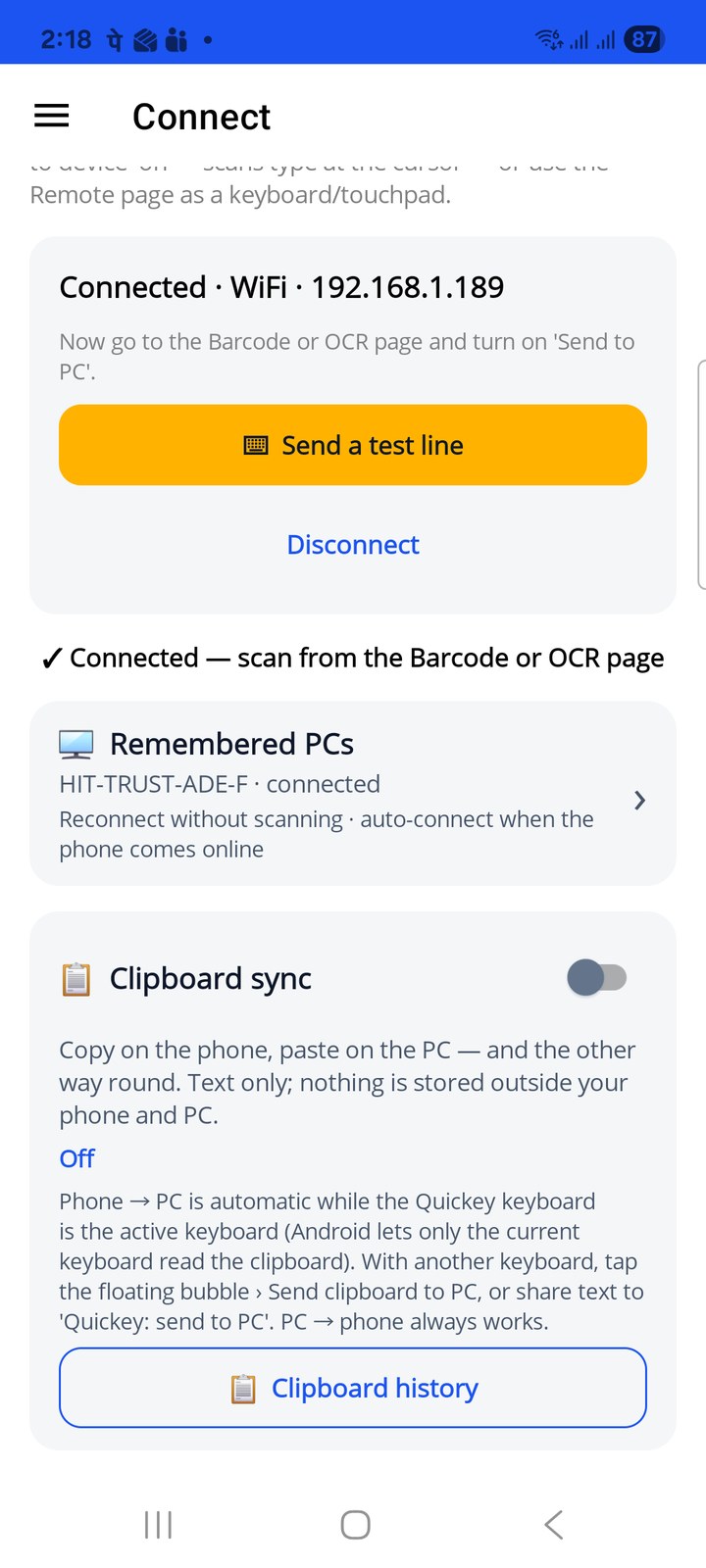
Pair with a PC as usual (Connect › WiFi or Internet, or a session QR). The Connect page then shows a Remembered PCs row with the PC's name; tap it to open the list.
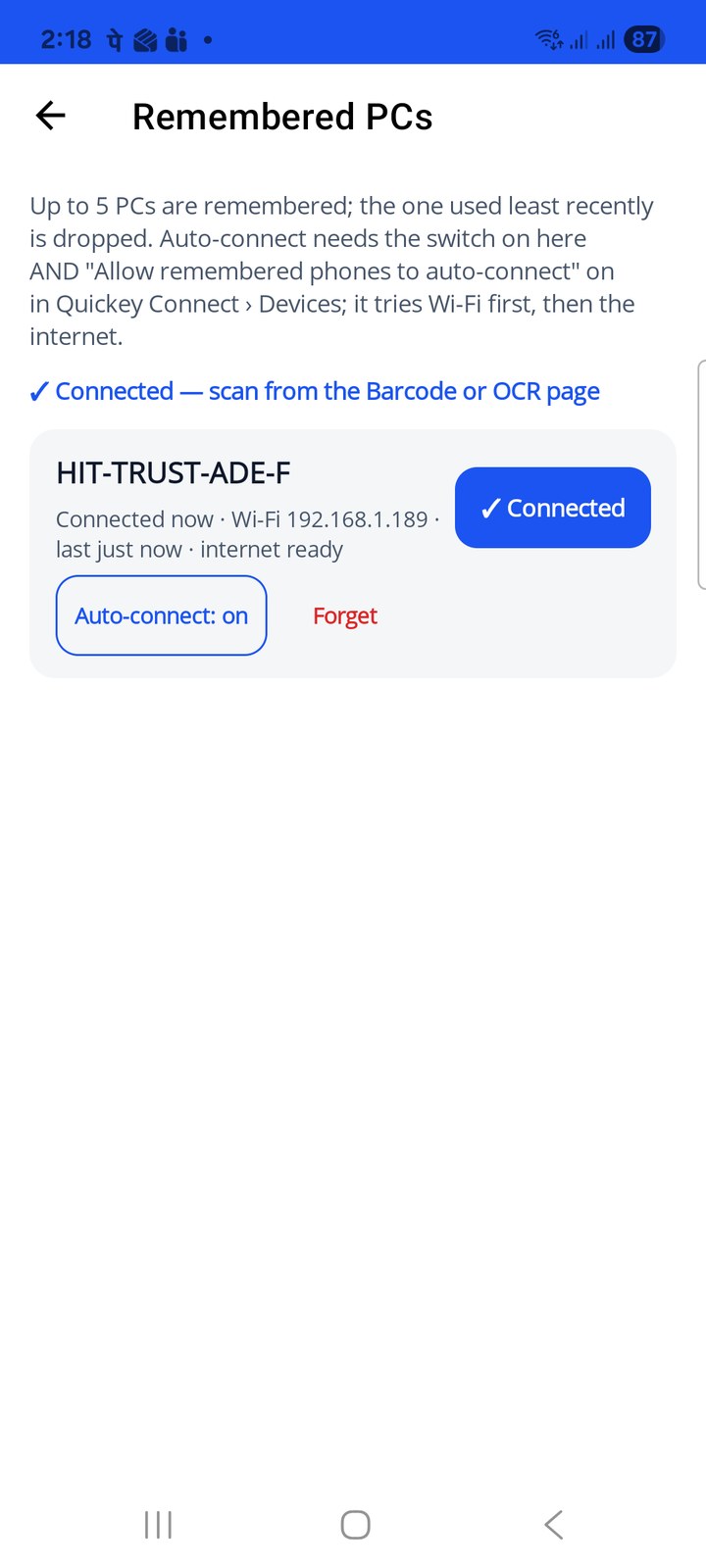
- Each PC shows its name (the Windows machine name), how it was last reached (Wi-Fi 192.168.1.189 or Internet) and when, plus internet ready when the pairing carried the relay secret.
- Connect reconnects now: Wi-Fi first (only while the phone is on a Wi-Fi network), then the internet. The connected PC shows ✓ Connected.
- Auto-connect: on / off is the phone's half of auto-connect (next section).
- Forget removes the PC and its pairing from the phone.
How auto-connect works
With auto-connect on, the phone tries its remembered PCs, most recent first, whenever:
- the Quickey app starts,
- the app comes back to the front,
- Wi-Fi or internet access comes back.
Each try is quiet: no dialog, no scanning. The Connect page status line shows the result (✓ Connected, or why not). A PC that is switched off or on another network is simply skipped; the next event tries again.
Both sides must allow it
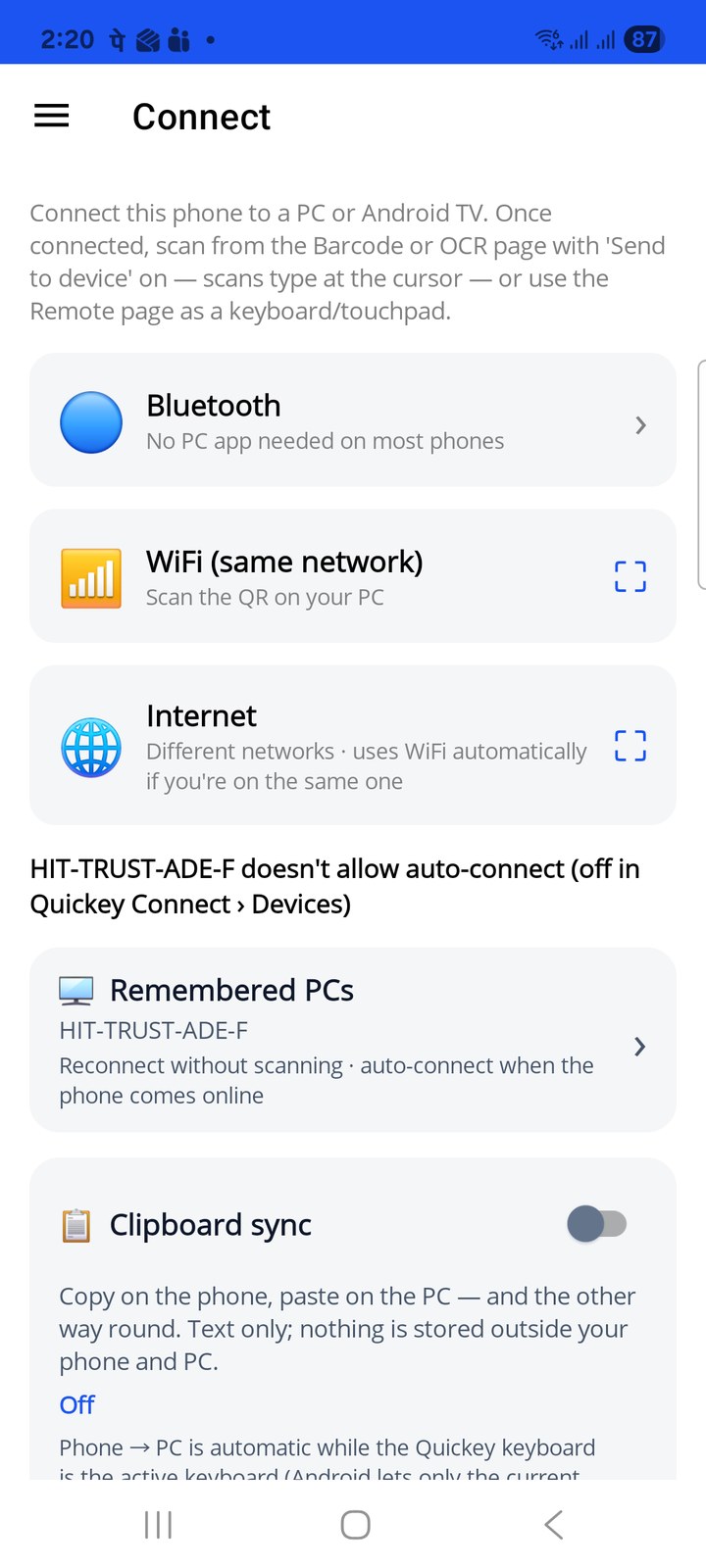
Auto-connect needs two switches on: Auto-connect for that PC on the phone, and Allow remembered phones to auto-connect in Quickey Connect › Devices on the PC. If the PC's box is off, an automatic attempt is refused and the phone says so: "… doesn't allow auto-connect (off in Quickey Connect › Devices)". Pairing by QR, or tapping Connect on the Remembered PCs page, still works; only the unattended path is blocked.
Devices tab on the PC
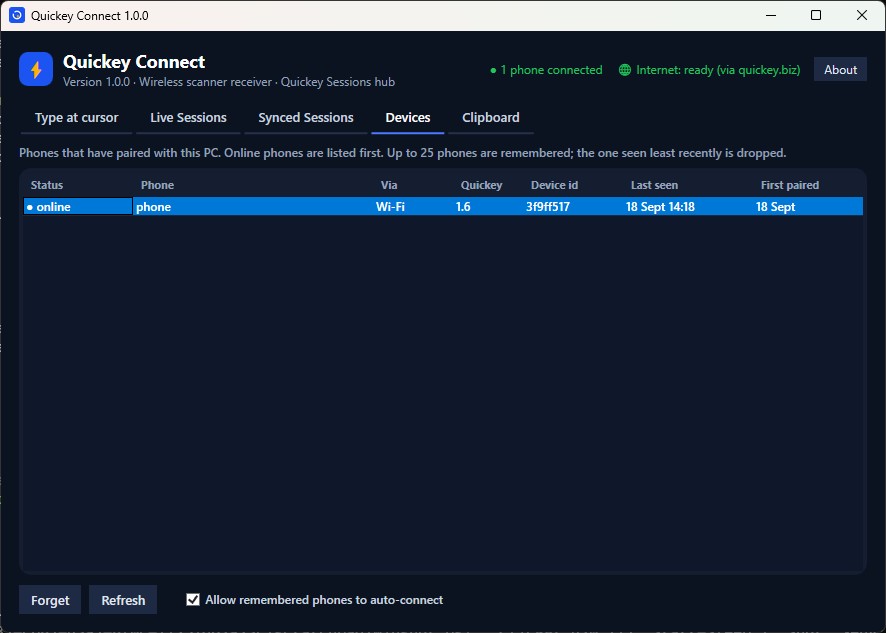
The Devices tab in Quickey Connect lists every phone that has ever paired with this PC: online phones first (● online), then the rest with their last-seen time, the link used (Wi-Fi or Internet), the Quickey version, a short device id and the day they first paired. The header of the window shows how many phones are connected right now.
- Forget removes the selected phone from the list. It can pair again by scanning the QR.
- Refresh reloads the list.
- Allow remembered phones to auto-connect is the PC's half of auto-connect. Untick it on a PC where only manual pairing should be possible, for example a shared counter PC.
Limits
- The phone keeps up to 5 PCs; when a sixth is paired, the one used least recently is dropped.
- The PC keeps up to 25 phones in the Devices list; the one seen least recently is dropped.
- The pairing details are stored only on the phone and the PC, the same way the PC already keeps its pairing token. Forget on either side removes them there.
- Bluetooth keyboard mode is not remembered here; it is managed by Android's own Bluetooth settings.
- Needs Quickey Connect 1.5 or newer on the PC. Older versions accept auto-connects without the Devices box.