Guides › Plans & credits
Your Plan: free scans, ad credit, Premium, Business
Updated 6 October 2026 · Quickey 1.10 (build 16)
Typing on the Quickey keyboard is always free. Scanning, OCR and keyboard inserts come from a free quota first, then from banked ad credit or a subscription. Sessions, batch scanning, Pick text and AI OCR need Business, or Business credit from a video.
On this page
Free scansThe ad-credit bankWhen credit runs outPremiumBusinessReferral passesThe Your Plan pageFree scans
Every phone starts with 200 free scans. Barcode scans, OCR captures and keyboard inserts (catalog products, quick texts) all count against the same number; plain typing never does. The card at the top of ☰ › Your Plan shows how many are left, and so does the Home subtitle.
During the free period, small banner ads may appear on the list pages of the app. They never appear inside the keyboard, the floating bubble or the camera.
The ad-credit bank: how watching a video works
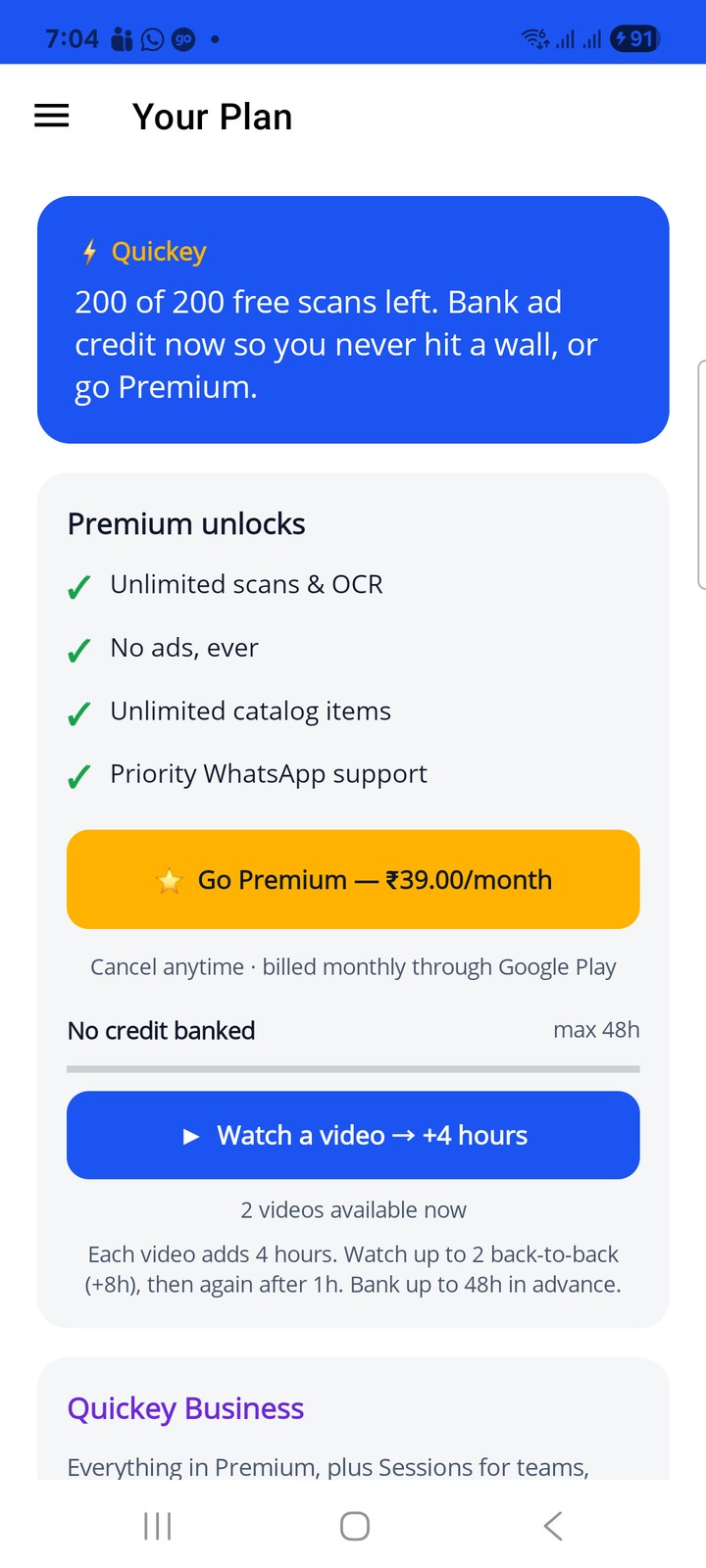
Ad credit is time, not scans. While you have credit, scanning is unlimited. You earn it by watching a short video, and you can bank it in advance so you never hit a wall in the middle of work.
- On Your Plan, under the Premium card, tap ▶ Watch a video → +4 hours. A rewarded video plays (about 30 seconds).
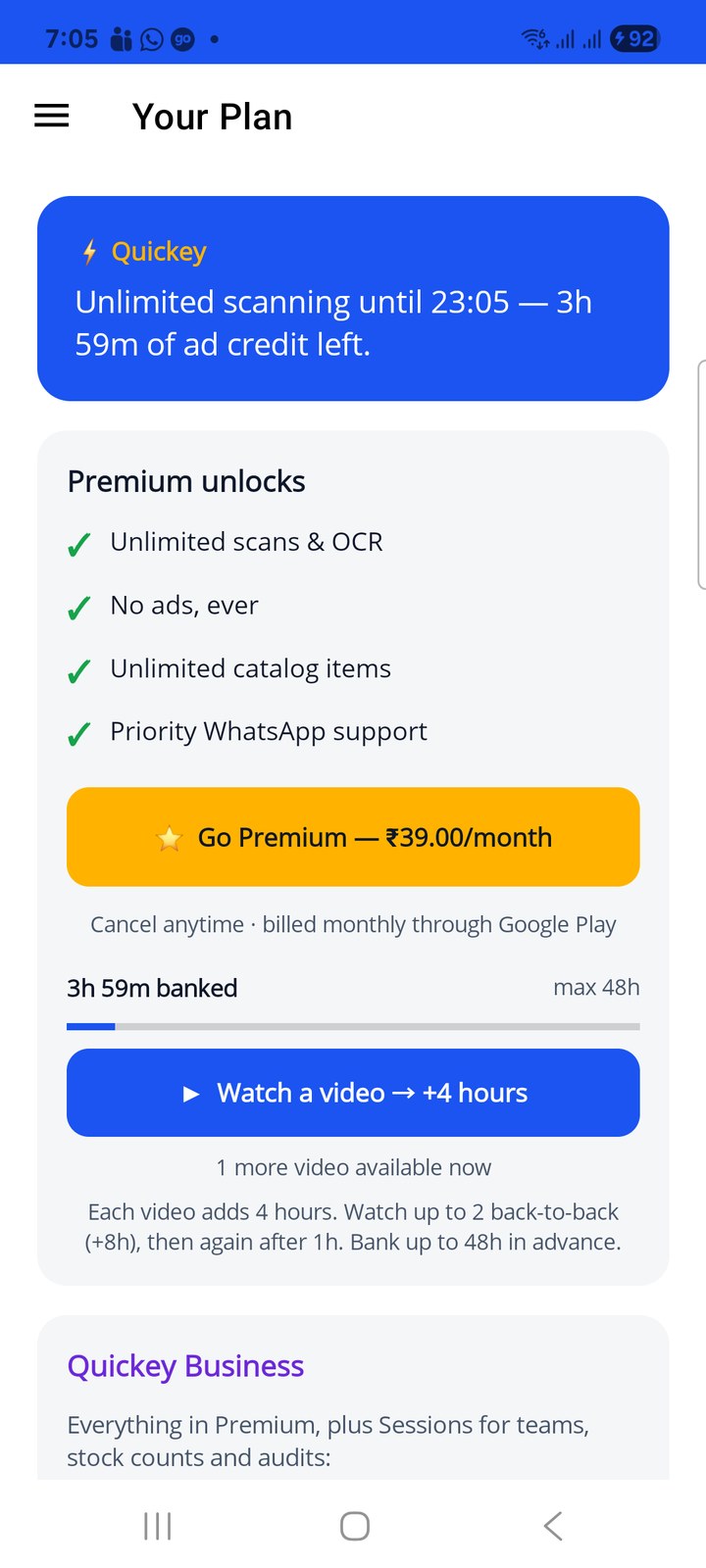
- When it ends, close it. The meter now reads 3h 59m banked and the top card says Unlimited scanning until 23:05: a 4-hour window of unlimited scanning has started.
- Watch a second video straight away and the window grows by another 4 hours (+8h in total). The line under the button tells you how many videos are available now.
- After 2 videos back-to-back the button changes to ⏳ Next video in … for one hour. Then you can bank more, up to 48 hours ahead (the max 48h on the meter).
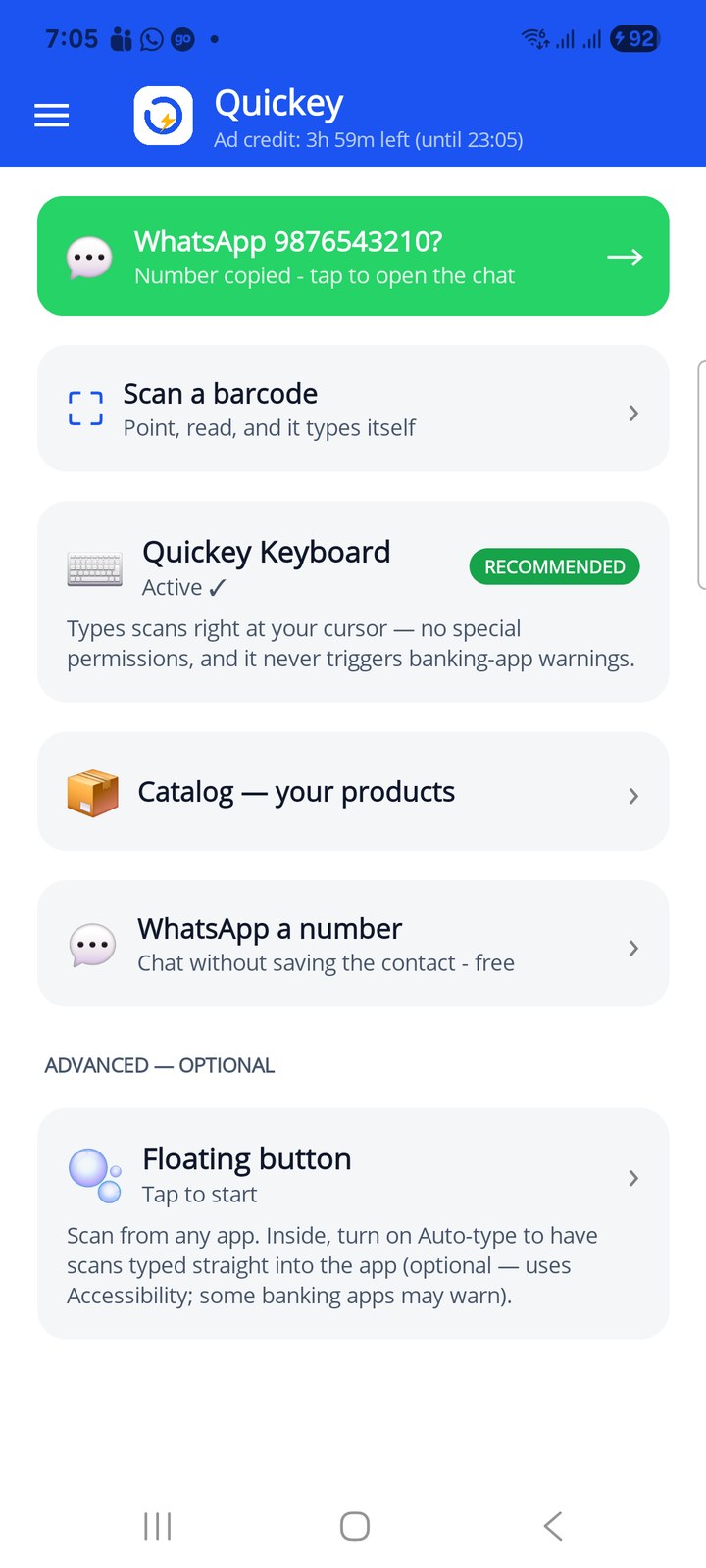
The Home subtitle shows the running credit, for example Ad credit: 3h 59m left (until 23:05). Credit counts down whether you scan or not, so bank it shortly before a scanning run rather than days ahead.
When credit runs out
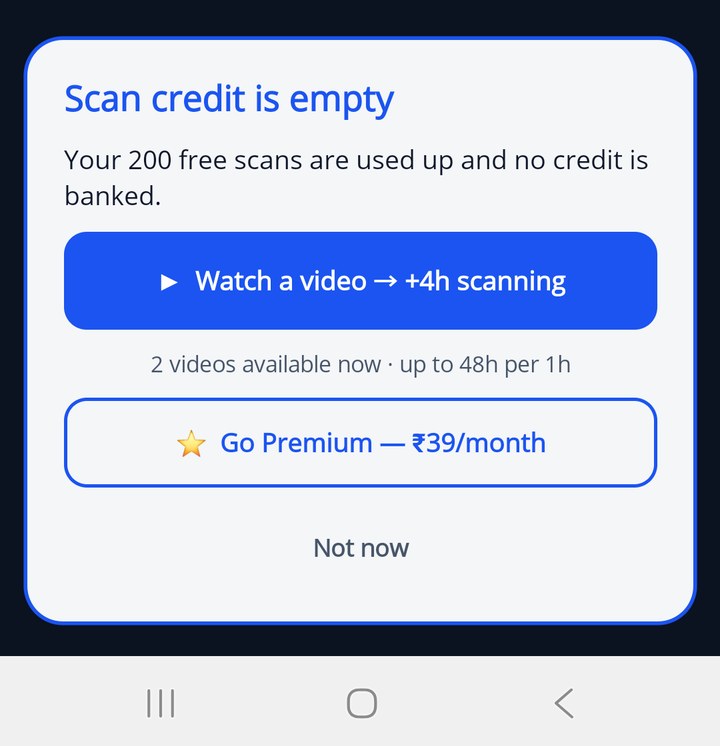
With the free scans used and no credit banked, the next scan does not fail silently. The camera closes and a Scan credit is empty popup appears with three choices: ▶ Watch a video → +4h scanning, ⭐ Go Premium, or Not now. If you watch the video, scanning resumes by itself when the credit lands.
The same popup (titled Session credit is empty) appears in a session when a phone without Business has used its free scans and its Business credit.
No video available? If you tap Watch and no video can be shown (no internet, or none on offer right now), Quickey gives you 30 minutes of scanning anyway, and another 30 if you tap again, up to 2 hours a day. In a session it is 15 minutes at a time, inside the limit of 30 minutes per hour. Closing a video early does not count.
You should rarely get that far. The Barcode, OCR and session pages show an amber running low strip when 20 free scans are left, or 15 minutes of banked time, with a button to top up at a quiet moment.
Business
Everything in Premium plus the tools for teams, stock counts and labels (₹149/month in India, $3.99/month elsewhere). The price is per phone: every phone that uses a Business feature needs its own Business plan. A session accepts up to 25 phones, and Quickey Connect on the PC is free. Business includes:
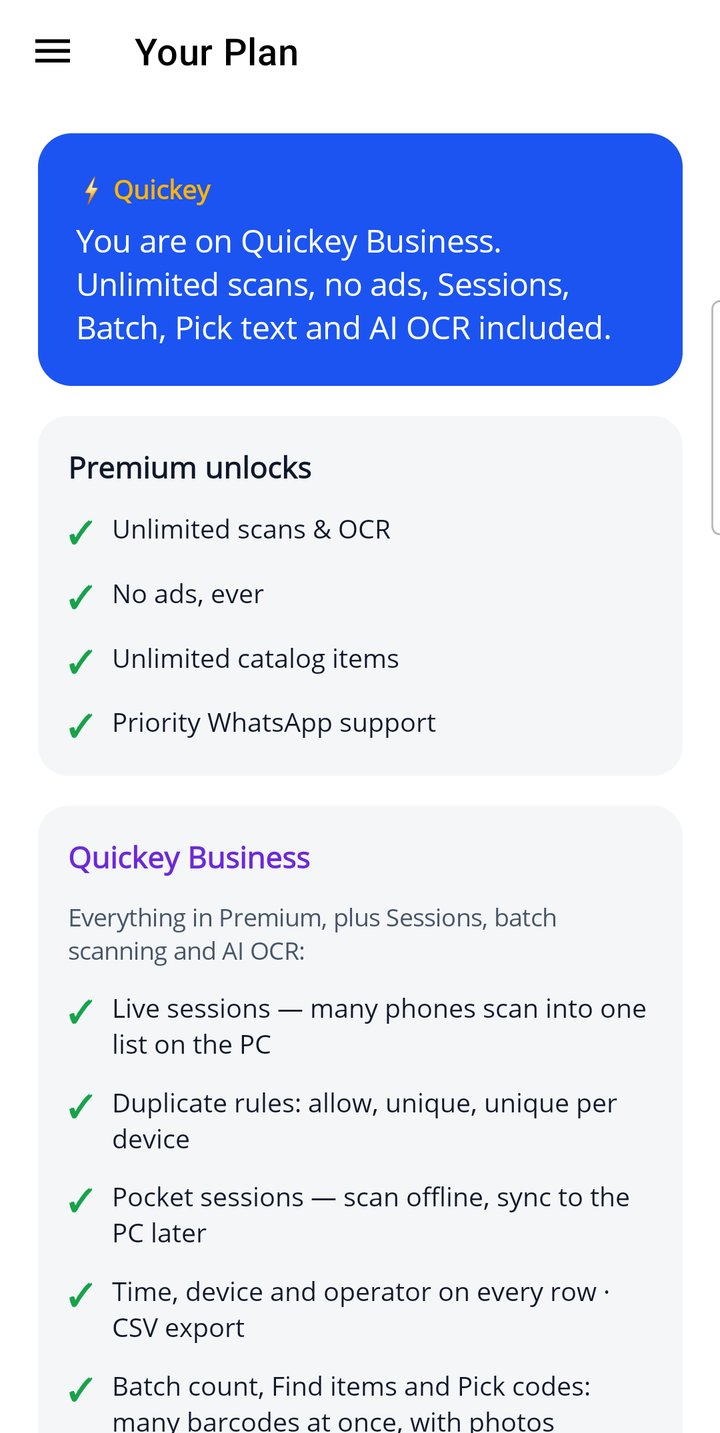
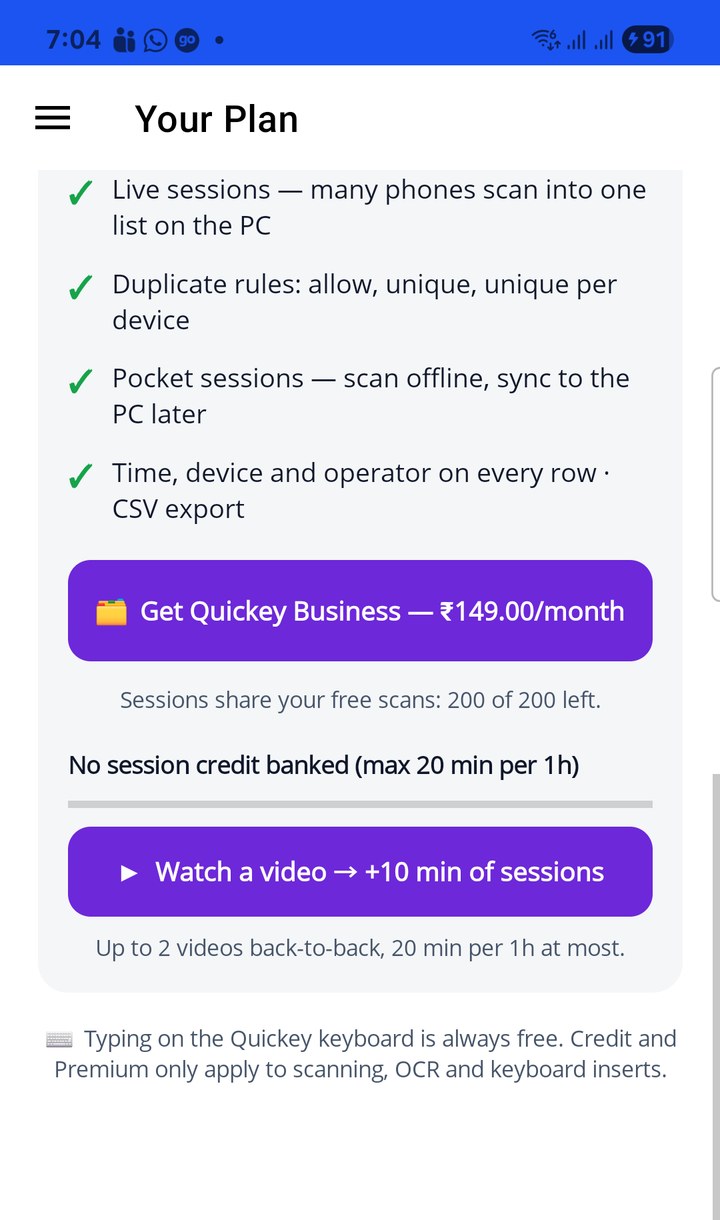
- Sessions: live sessions (many phones scan into one list on the PC), duplicate rules, pocket sessions with sync, time, device and operator on every row, CSV export
- Batch count, Find items and Pick codes: many barcodes at once, with photos
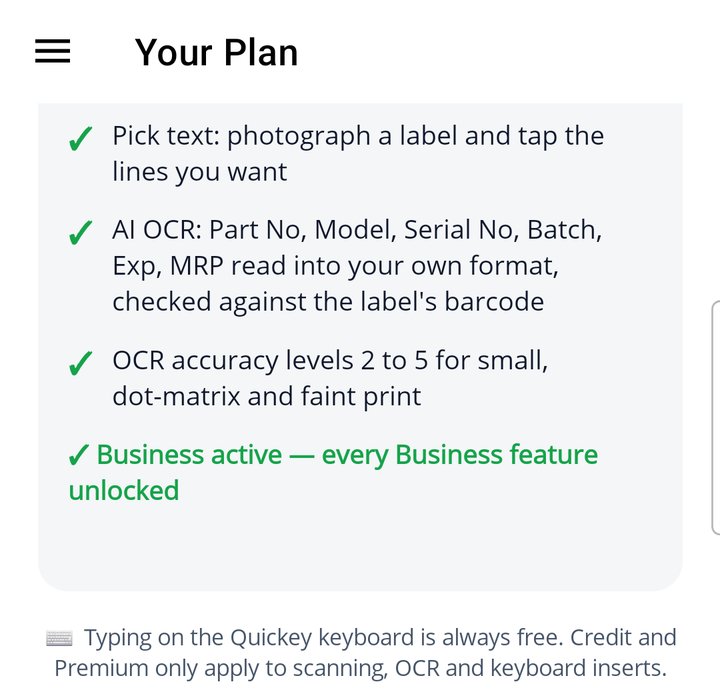
- Pick text: photograph a label and tap the lines you want, or read many labels as AI rows
- AI OCR: Part No, Serial No, Batch, Exp, MRP and your own fields in your order, with Verify with barcode
- OCR accuracy levels 2 to 5 for small, dot-matrix and faint print
- No ads and unlimited scans
Business credit: try it with a video
Without the subscription, the Business card has its own meter, the Business credit bank. Tap ▶ Watch a video → +15 min of Business. Up to 2 videos back-to-back, and at most 30 minutes banked per hour. While Business time is running, every Business feature above works. Sessions also use the 200 free scans first. This is meant for trying Business out; a team working every day should be on Business.
Without Business or Business credit, the Batch, Find, Pick and Pick text buttons open a short message with a link to this page. Scan text still works for free at level 1 (Fast), and AI fields send all the text instead.
When the subscription is active the top card reads You are on Quickey Business. Unlimited scans, no ads, Sessions, Batch, Pick text and AI OCR included, the video meters disappear, and the Business card ends with ✓ Business active — every Business feature unlocked.
Referral passes: Premium or Business for free
From version 1.10 you can earn credits by inviting friends, and turn them into 7-day passes: a Premium pass for 1 credit, a Business pass for 3. While a pass runs, the status card names it and its end date, a 🎁 Referral pass card appears under it, and the app behaves exactly as on that plan: no ads, unlimited scans, and with a Business pass every Business feature.
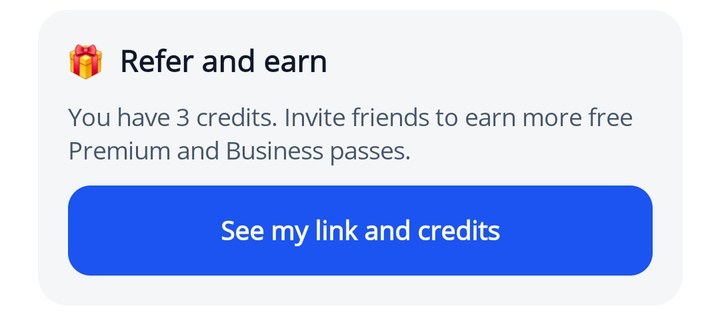
The 🎁 Refer and earn card near the bottom of Your Plan shows how many credits you hold; See my link and credits opens the page. The full walk-through is in Refer and earn.
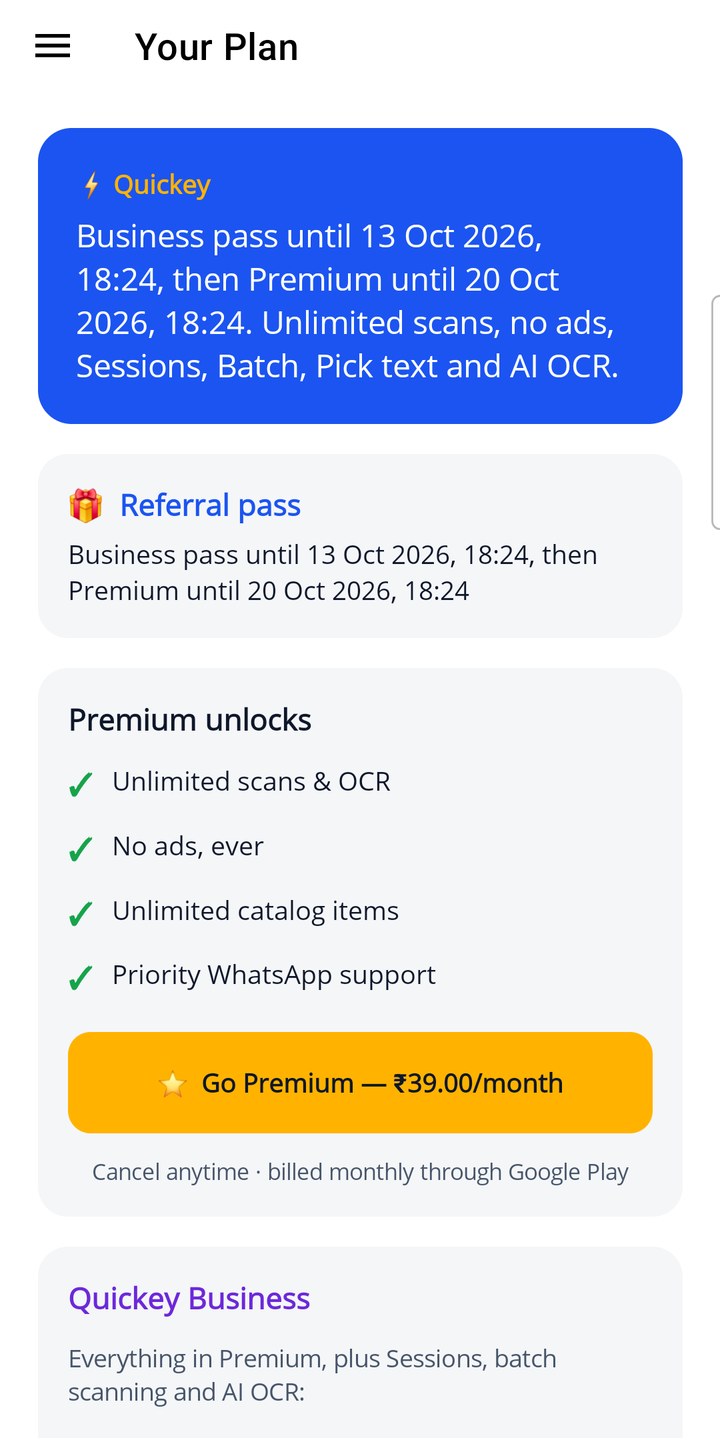
The Your Plan page, top to bottom
- Status card: your current state (free scans left, credit running, Premium or Business).
- Premium unlocks with the Go Premium button and, under it, the ad-credit meter: No credit banked or 3h 59m banked, the max 48h cap, the watch button and how many videos are available now.
- Quickey Business: what it includes, its button and the Business credit meter (No Business credit banked or 15m of Business time banked).
- Refer and earn: your credits and the button to your link (version 1.10 and later).
- A reminder that typing on the keyboard is always free.
Purchases are handled by Google Play; Quickey never sees your card. Prices and the free quota are loaded from quickey.biz when the app has a connection, so the page may show a local currency or a promotion.